BroAI product · Workforce Ops

SUPWorkforce operations for distributed teams

One system for payroll, documents, shifts and communication with your team — wherever it is based. A coordinator web app and an employee mobile app instead of Excel, messengers and paper.

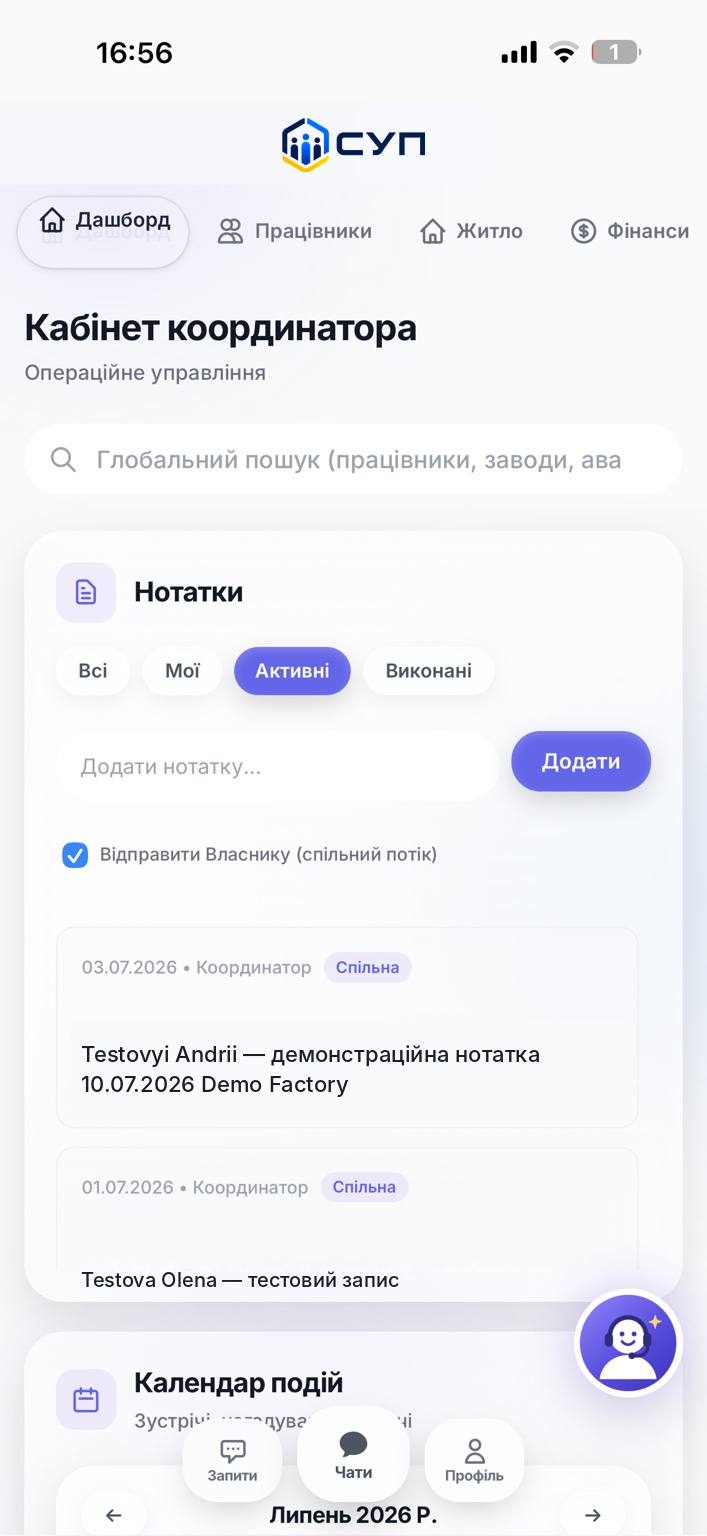
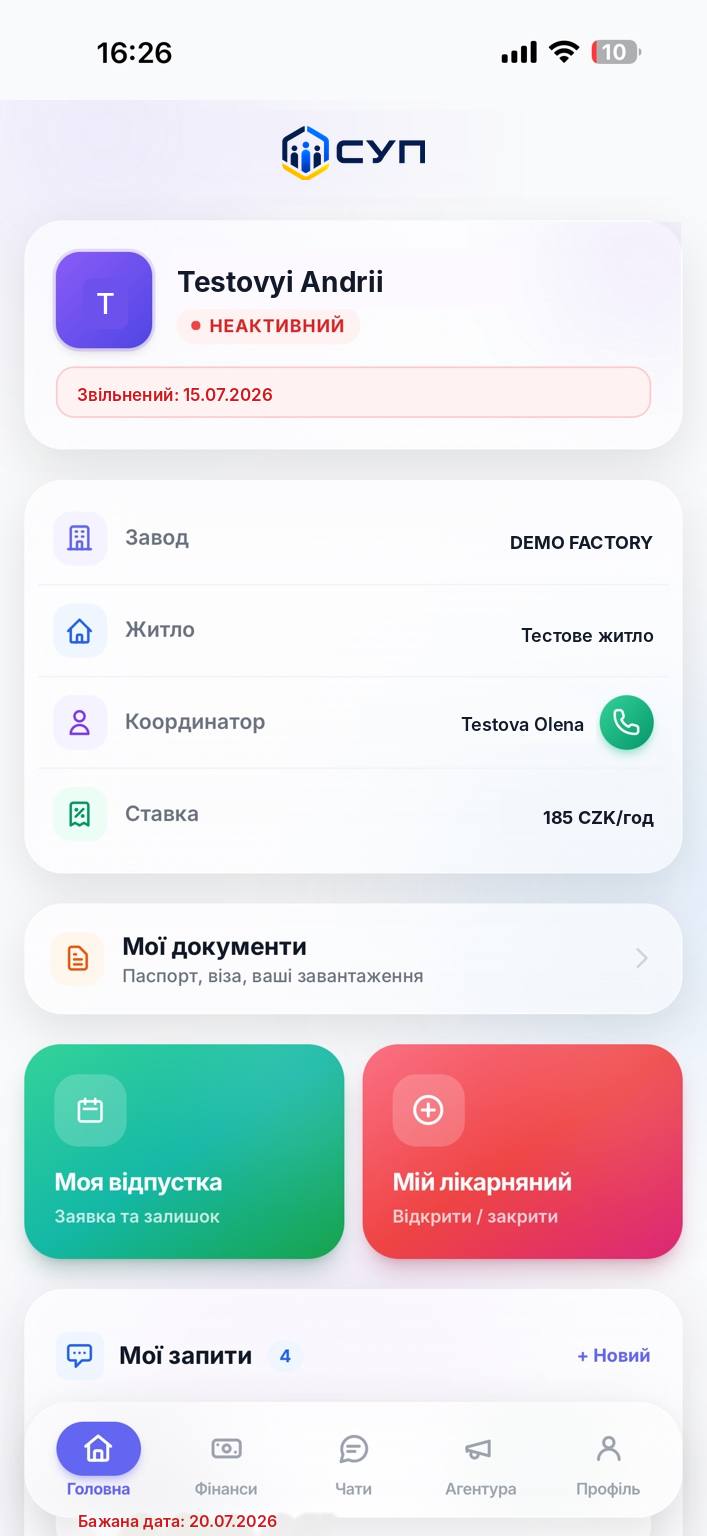
SUP employee mobile app screen with payroll and document statuses
Employee app

Sound familiar?

This is what managing a distributed team usually looks like

01

Communication

Work questions scatter across private chats and messenger groups.

02

Documents

Passports, visas, certificates — photos in chats, manual checks, nothing structured.

03

Payroll

An employee cannot see the status of an advance or a payslip — they have to ask the coordinator.

04

Records

Shift schedules, holidays, sites and housing live in separate spreadsheets that never reconcile.

How it is built

Two interfaces, one system

Web · for the coordinator

Coordinator workspace

Operational control over the whole team and all sites in one window.

  • Workers, plants and sites, housing — one database
  • Finance: payroll runs, advances, publishing payslips
  • Shift schedules and a holiday calendar
  • Document verification and OCR statuses
  • Chats, tasks, client base, broadcasts per site
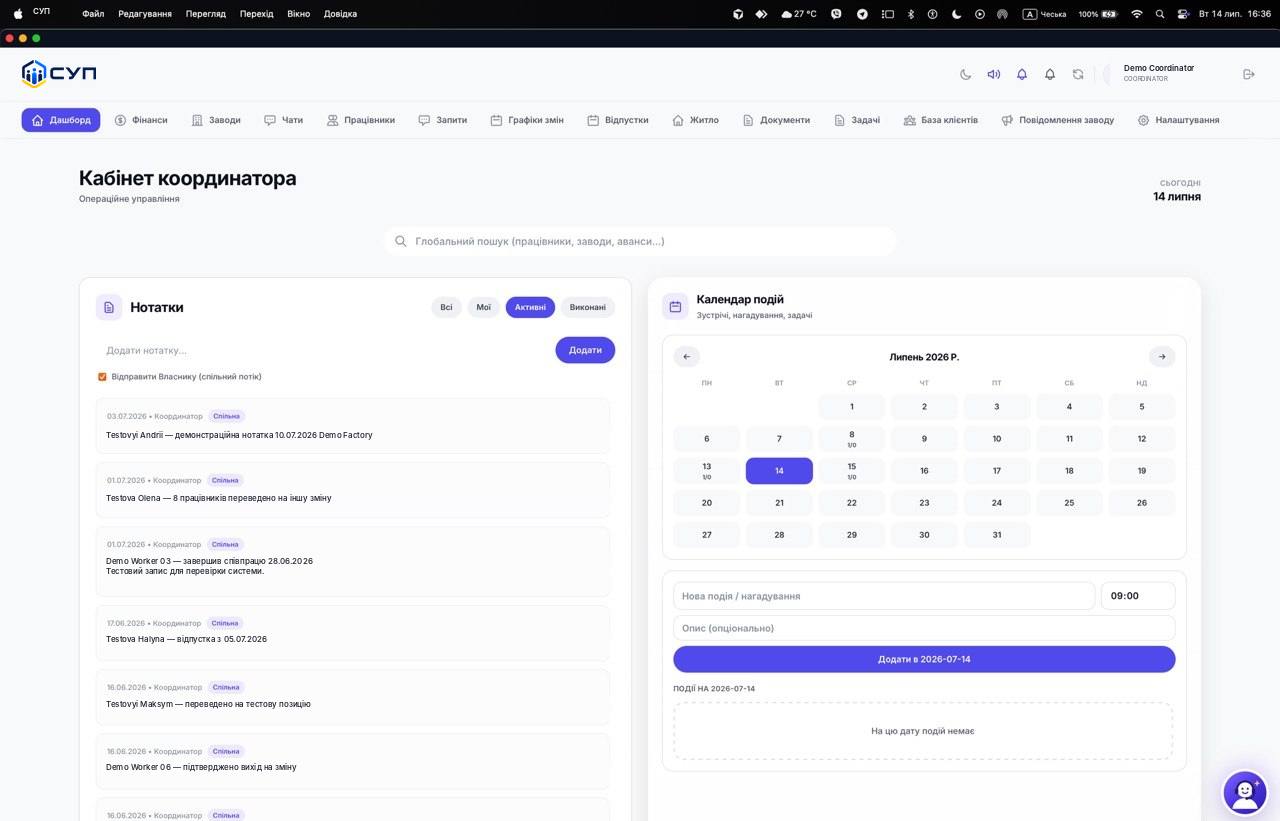
SUP coordinator web workspace with the employee database and finance module

Mobile · for the employee

Employee app

Self-service: fewer questions for the coordinator, more transparency.

  • Payroll, advances and history with statuses
  • Documents with automatic OCR recognition
  • Holidays, sick leave, shift schedule
  • Requests: resignation, payroll and document questions
  • Chat with the coordinator, translator, notifications
SUP employee mobile app with payroll history and requests

What is automated

Not just forms — working logic

OCR

Document recognition

When a passport, visa or contract is uploaded, the system pulls out the number, expiry date and full name — no manual entry.

STATUS ENGINE

Request status model

Advances, holidays, sick leave, resignation — every request has its own lifecycle with history and an owner.

ACCESS

Access after leaving

An employee keeps access until they collect the final payslip — only then does the system close the door.

under reviewapprovedissuedpaid

Next step

See SUP on your own processes

We will walk through the system on a real scenario from your team — payroll, documents, shifts — and assess what needs tailoring for you.

→ or message us on Telegram